Audio-Account
Say one sentence to my phone and AI splits the expenses in it into drafts with item, amount, and category, which I confirm before they go into the ledger. The voice expense tracker I use every day.
- TypeScript
- React
- PWA
- Fastify
- Zod
- Gemini API
- Firestore
- Cloud Run
- GitHub Actions
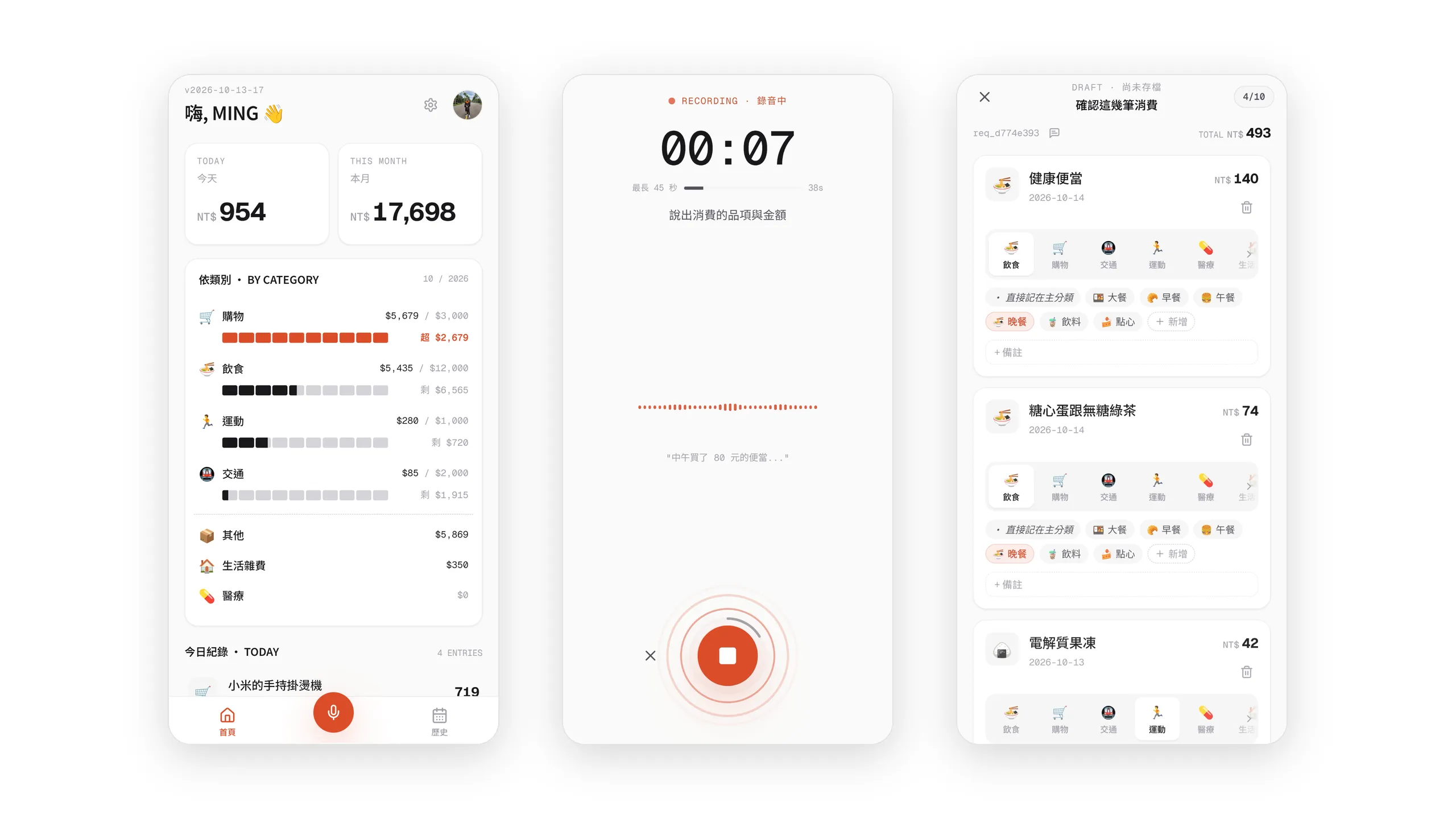
Audio-Account is a voice-driven expense tracker I built for myself. I pick up my phone and say what I spent; an LLM splits it into draft entries with item, amount, category, and date, and nothing goes into the ledger until I have checked and confirmed it. It is live, it has replaced the expense app I used before, and I log my spending with it every day.
Before building my own, I used a Taiwanese app called “簡單記帳”. I don’t need much from an expense tracker, and its simple interface and flow were enough. But however streamlined it was, I kept running into the same pain point: by the time I remembered to log anything, a whole day of spending had usually piled up, and sometimes I still had yesterday to catch up on. That meant tapping through the interface again and again — switching dates, picking categories. For me, there was still too much friction every time I logged an expense.
That got me thinking about building a tracker of my own. At the same time, two years on the job had taken me through the whole process — from user needs and feature discussions with PMs to frontend designs and backend implementation — and I wanted to know what it was like to plan a product from scratch on my own, as PM, developer, user, and even UI designer all at once. With help from AI Agents and a range of design tools, this project came to life.
Log Several Expenses in One Sentence
The core goal of this project is to reduce the friction of logging expenses, and every feature in the app is built around it. I started from my own habits, and while designing each feature I also asked myself: would an ordinary user find this “easy to use” too?
As for the most important question — how to make logging simpler and skip all the repeated tapping of a traditional app — my answer was a multimodal LLM.
Whether I open the app from the PWA shortcut on my phone’s home screen or tap the button on its main screen, I can start describing what I spent to the AI right away. One recording can cover several expenses, and spending from different days or my own personal shorthand can be mentioned in passing. This fits how I actually log: not at the moment I pay, but all in one go whenever I remember.

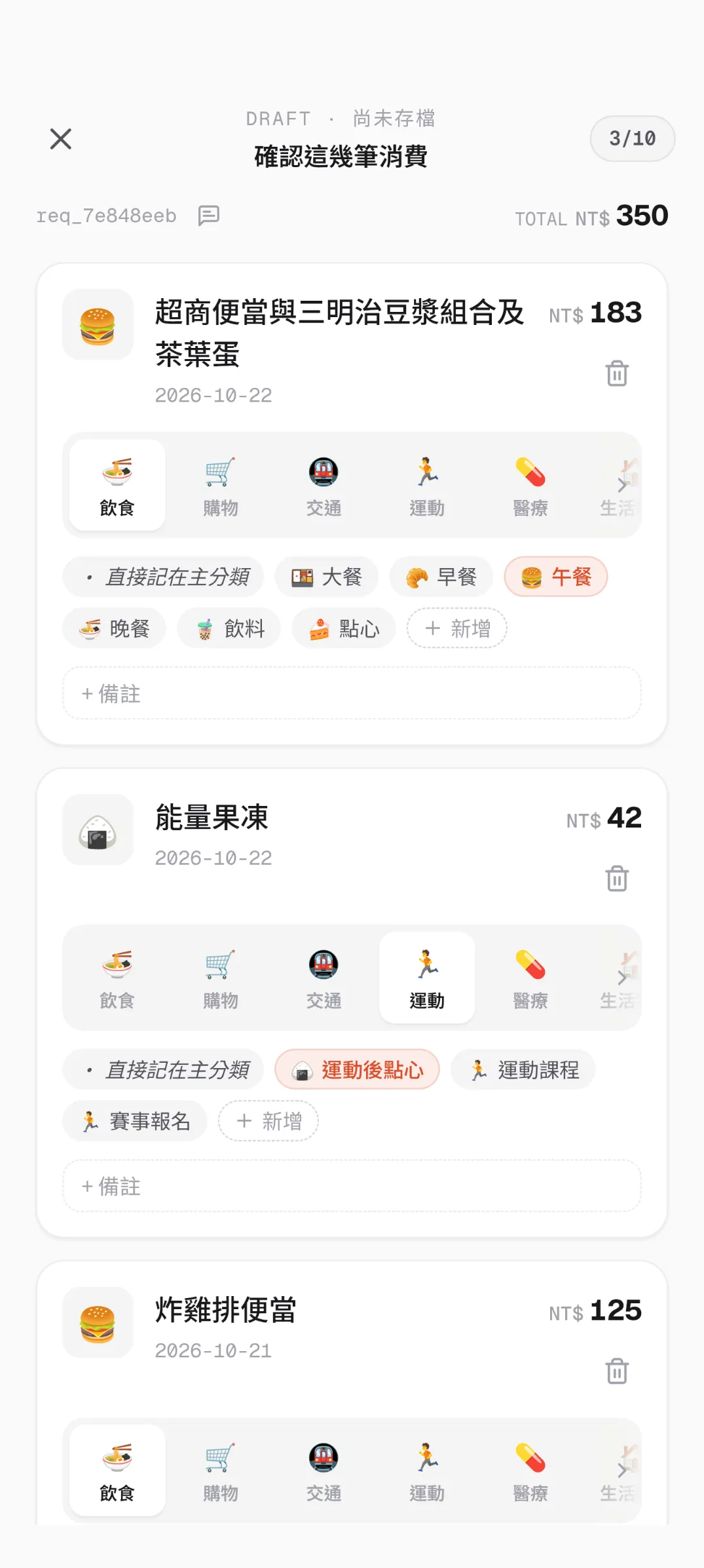
In the screenshots above, I mentioned today’s lunch, an energy jelly drink I bought before a run, and yesterday’s bento lunch that I hadn’t logged yet. The AI split them into three drafts, and the “yesterday” entry was automatically dated to the previous day.
The AI produces drafts; nothing goes into the ledger until I confirm it
LLMs are already smart enough to pull the amount, date, category, and item out of what I say, but for expense tracking — and for needs like it — accuracy still matters more than convenience. So there still needs to be a human review step, where I can edit entries directly on screen if needed. The app also shows the transcript the AI wrote, so when an entry looks off, I can replay the original recording, compare it with the transcript, and tell whether I wasn’t clear or the AI misheard.
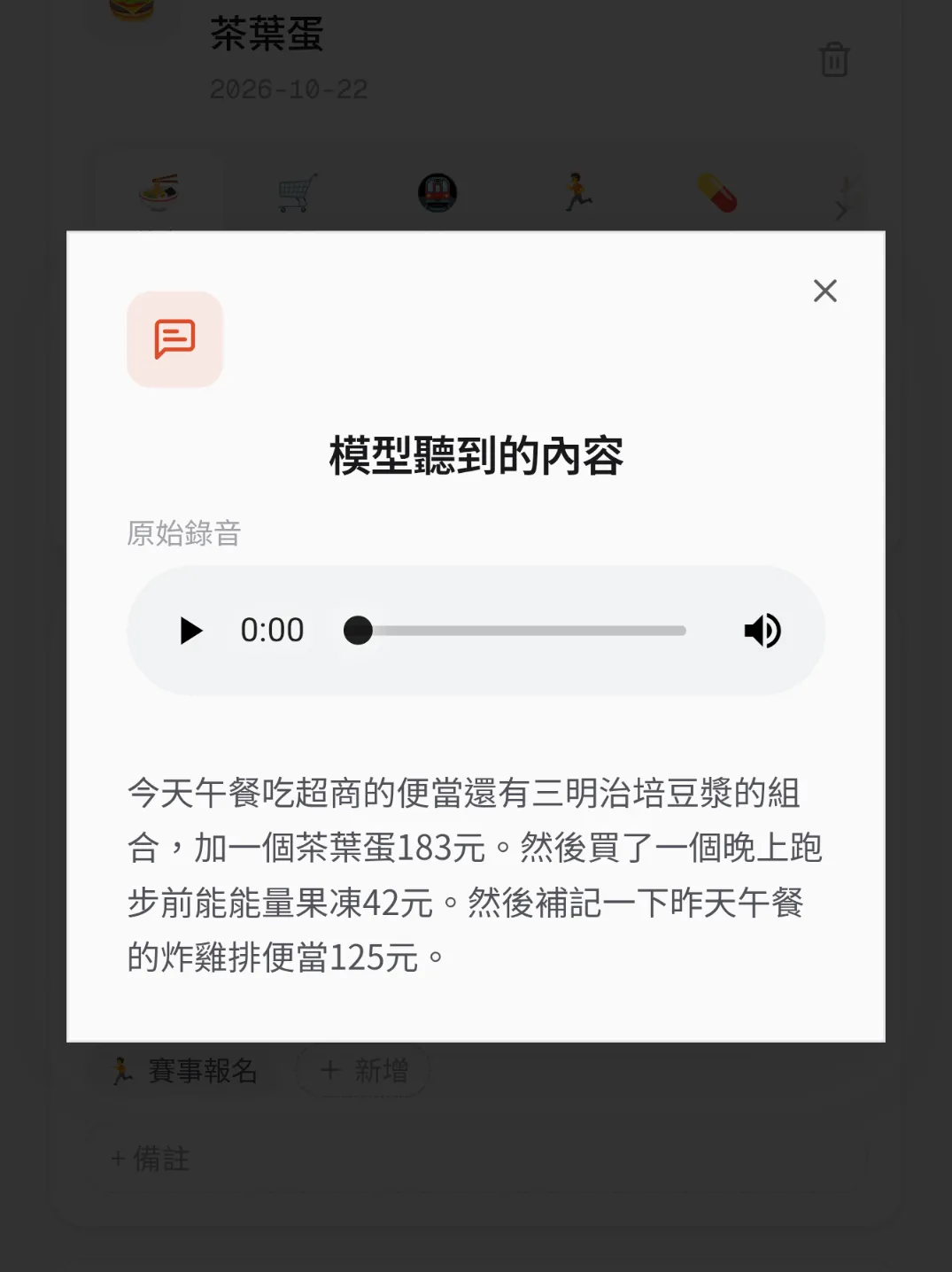
I added the transcript to fix a problem from the early days: the AI would occasionally add items and amounts I had never said. If I asked the AI to hand back a list of entries directly, there was nothing to check it against to tell whether it was filling in the gaps on its own. So I changed the flow: the LLM first produces a transcript, then builds the entries from that transcript (with Gemini Structured Output explicitly defining the order in which the fields are generated).
If parsing fails, I can retry with the same recording or switch to manual entry. The confirm button uses an idempotency key to guard against an accidental double tap or a resend on a flaky connection: however many times the same confirmation is sent, it is written only once.
Letting the AI Look at How I Usually Log
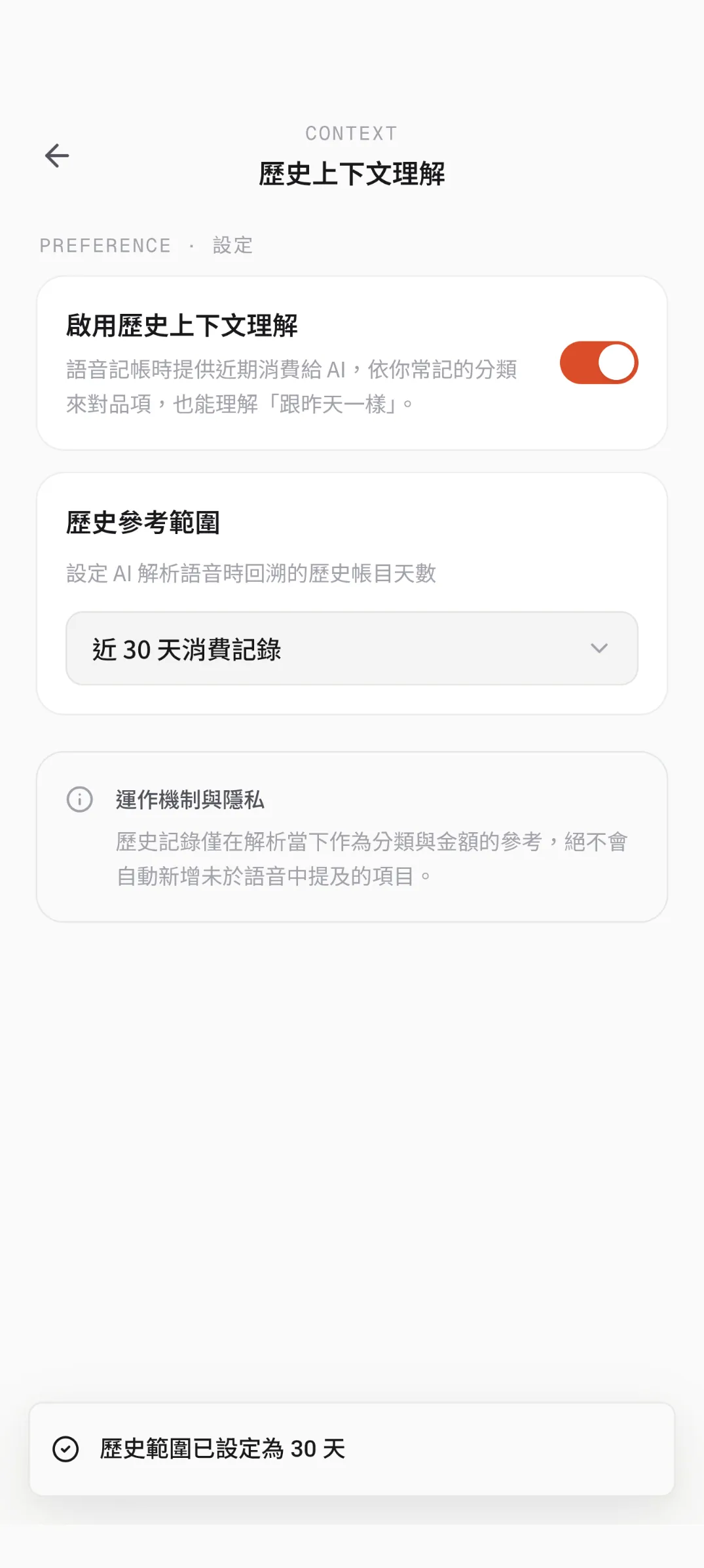
Once I could log quickly by voice, the next problem was the shorthand and recurring purchases that “only I understand”. To help the AI understand these and make logging smoother (with less manual correction), I added a feature called “Historical Context”.
Here is a real example: at least once a week I have lunch at Sukiya, a Japanese beef bowl chain near my office, and I always order the same set meal before picking up a tea egg at a convenience store. Wouldn’t it be great if I could just say “Sukiya and a tea egg for lunch” and have the LLM fill in the right items and amounts?
With Historical Context turned on, the LLM can refer to my recent entries, categorise things the way I usually do, and understand phrases like “same as yesterday”. At the same time, it only uses past entries as a reference; it won’t add items I didn’t mention this time.
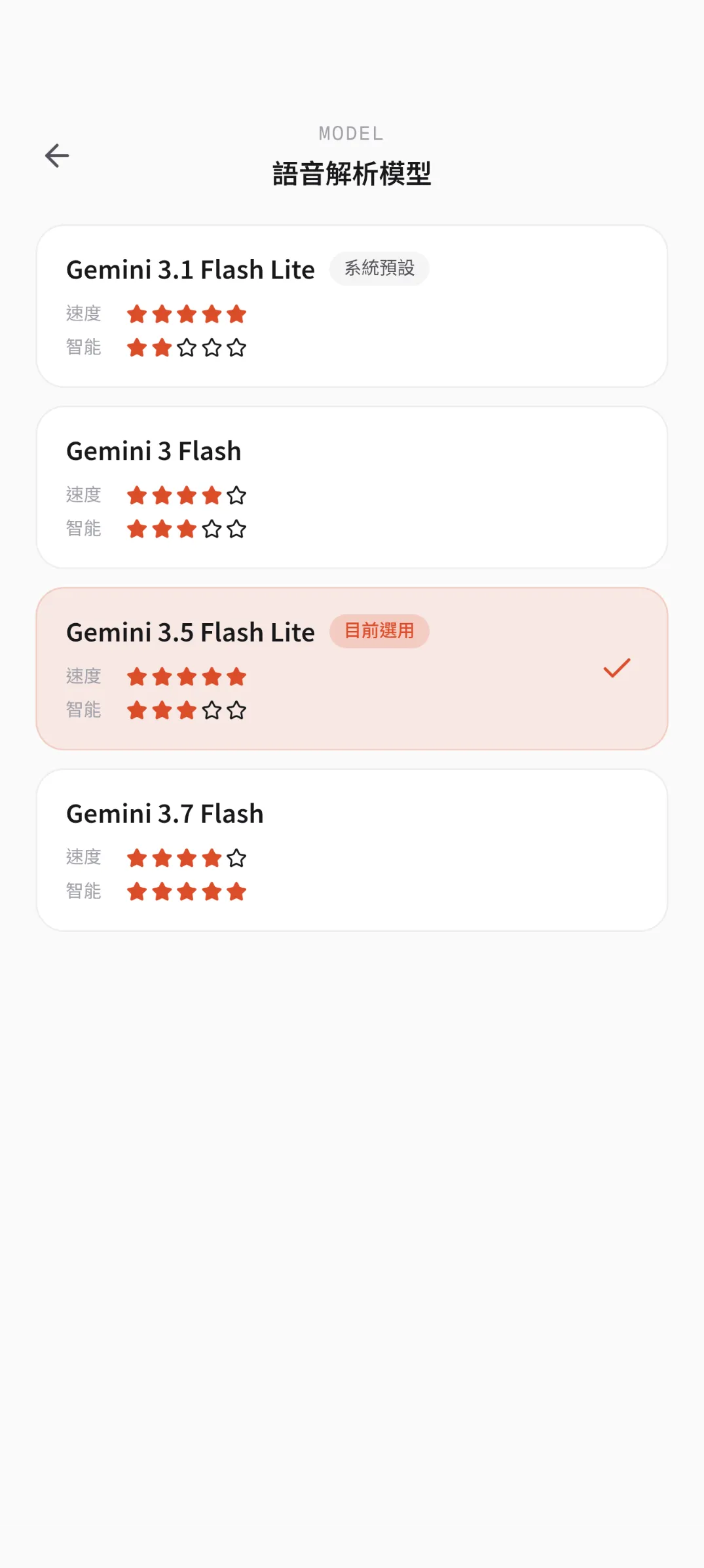
The AI model that does the parsing currently comes from the Gemini family and can be switched on the settings page. Choosing a model is mostly a trade-off between speed and comprehension, but with newer Gemini releases, in my own experience, Flash-Lite already responds very quickly while still understanding me well enough.
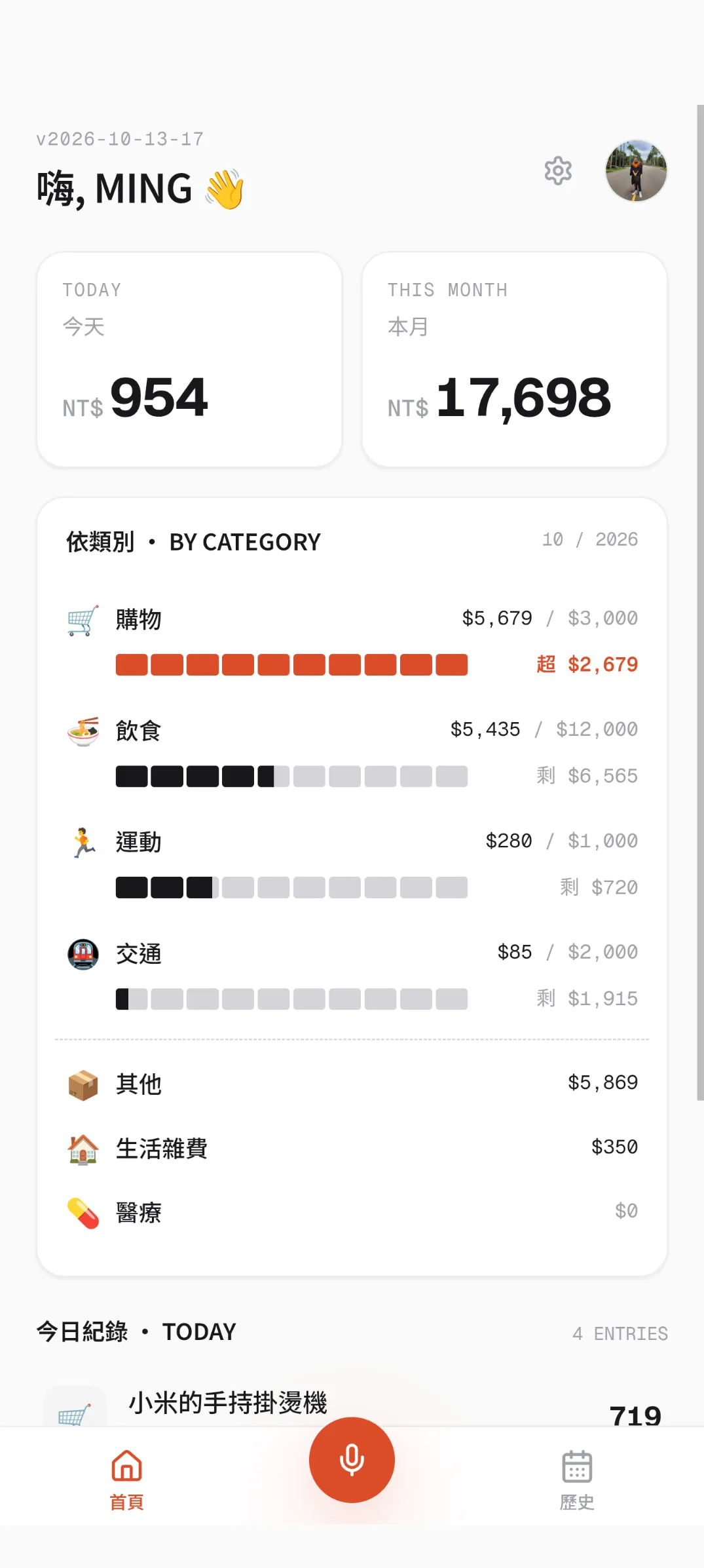
Spending and Budgets on the Home Screen
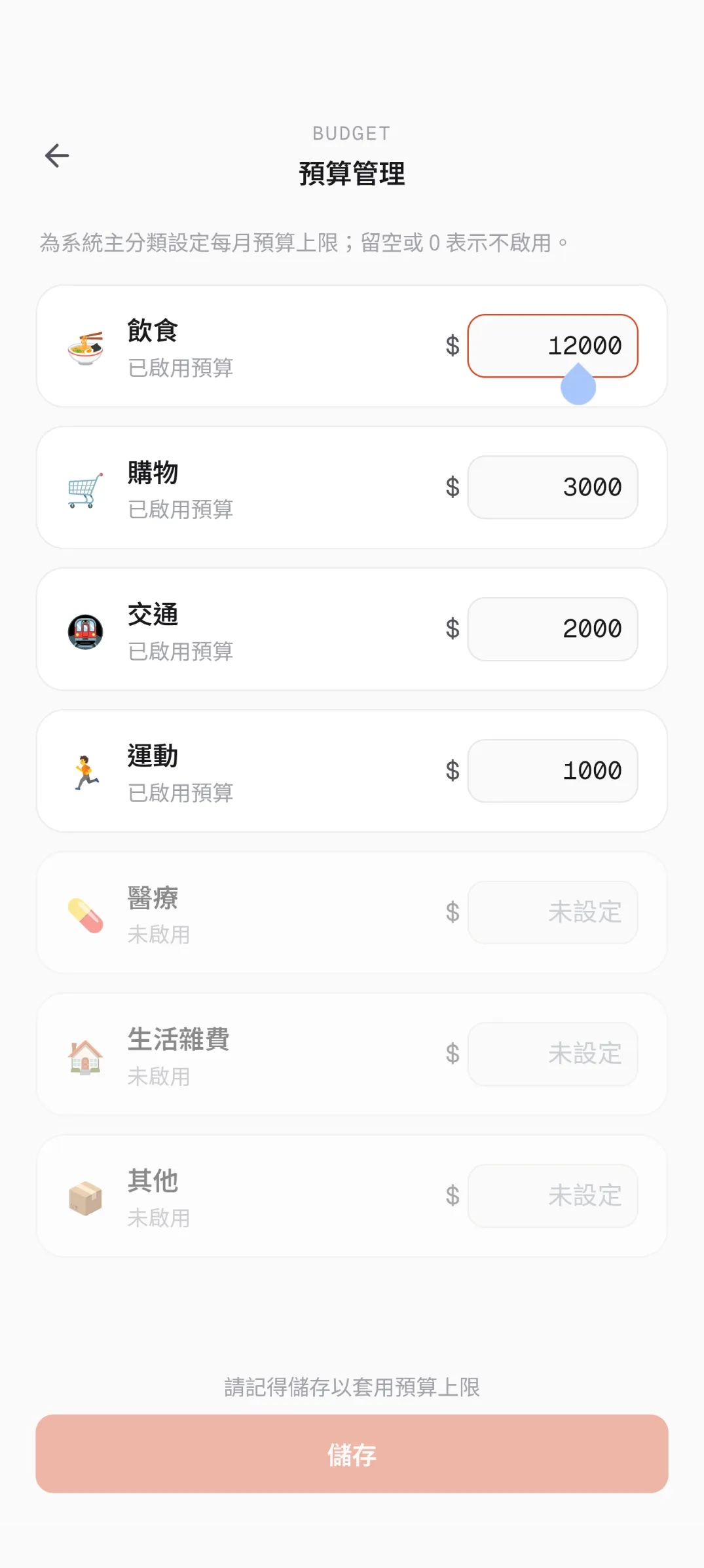
An expense tracker still needs basic spending stats. Keeping to the dual role of user and PM I mentioned earlier, I made the budget limits prominent: the home screen shows at a glance how much of each main category’s budget has been used, which reminds me to adjust my spending pace from there.
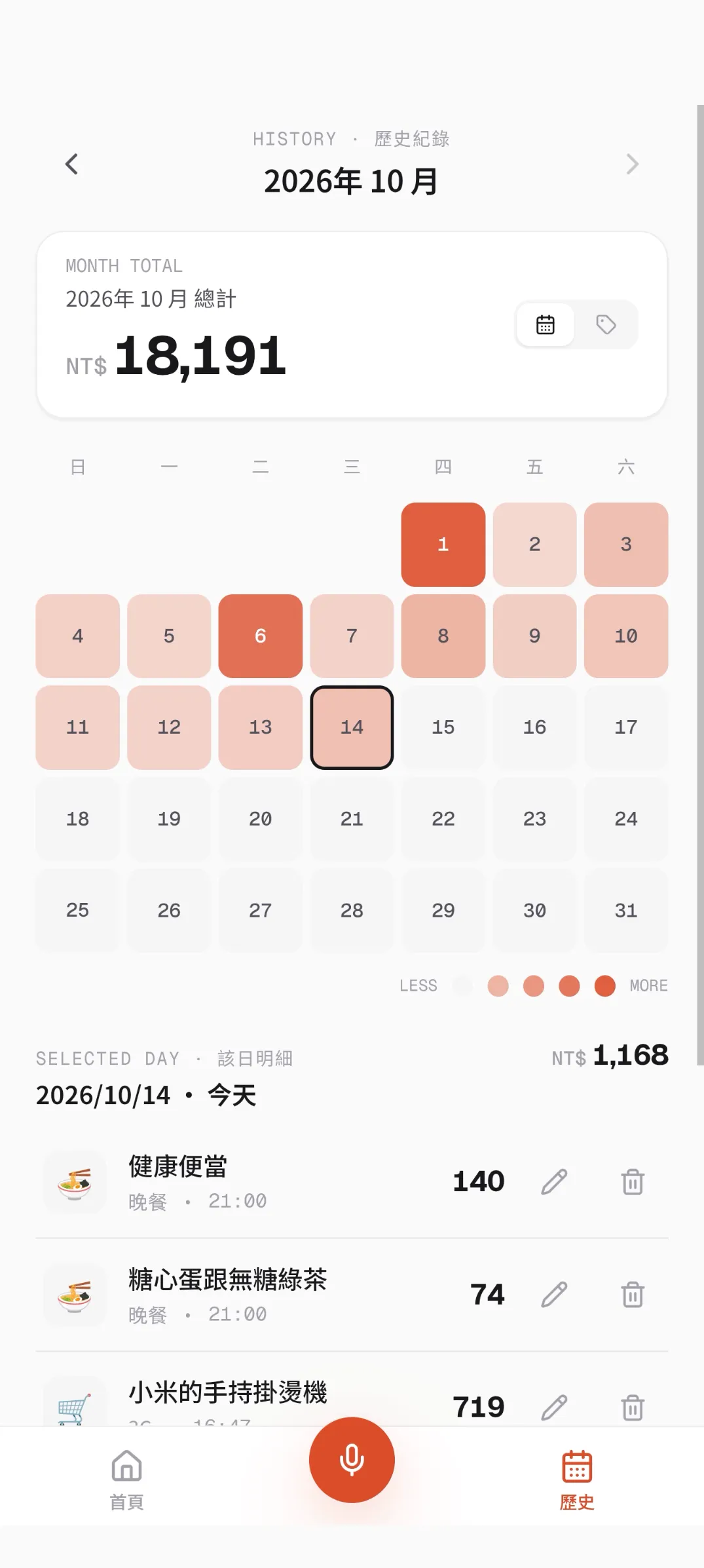
Like most expense apps, tapping into a main category shows each subcategory’s share and the itemised entries. Beyond that, one design I especially like is the spending heat-map calendar, which shades each day by how much I spent — particularly handy when looking back over a month or finding what I spent on a specific day. The history page, where the heat-map calendar lives, also keeps the traditional way of entering expenses by hand.
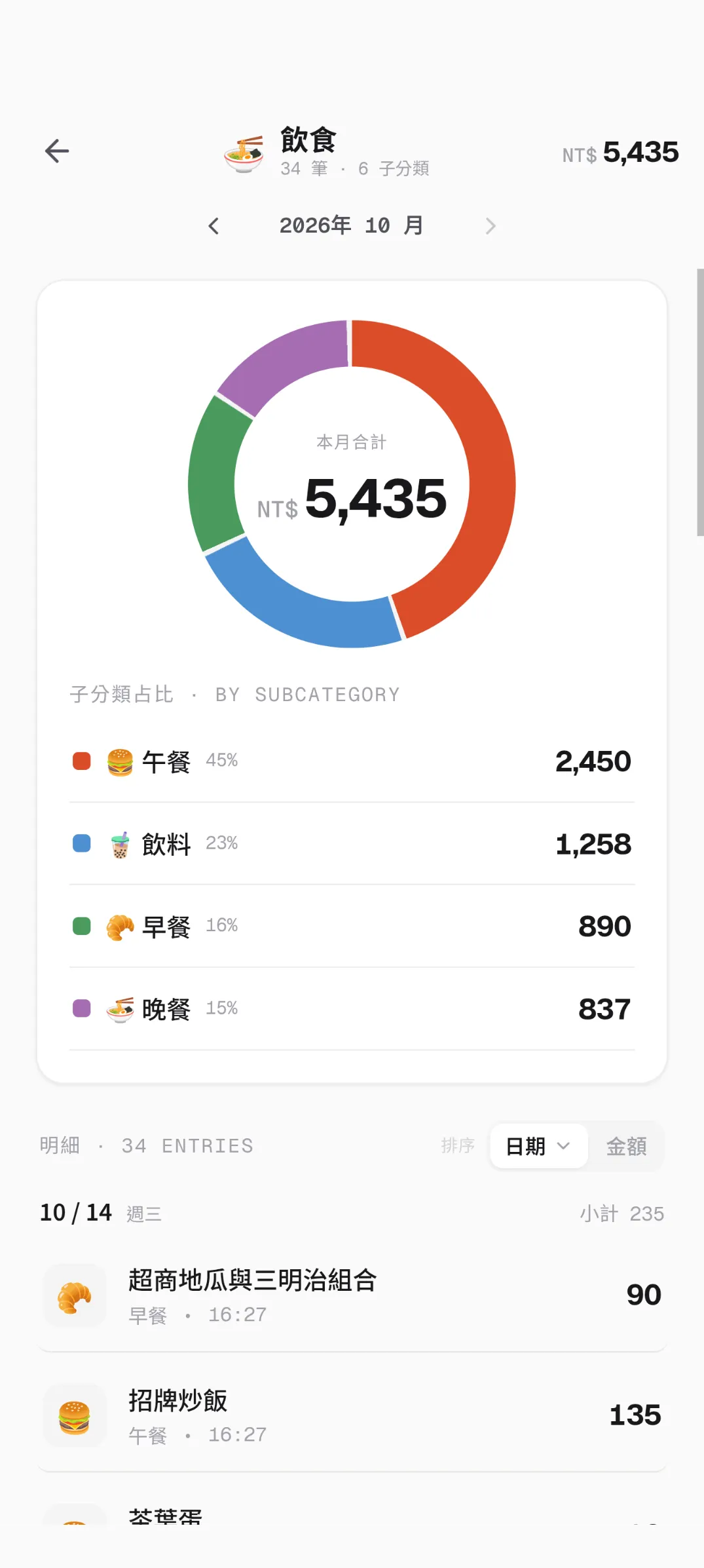
When designing the category system, I looked closely at how expense apps like “簡單記帳” and “天天記帳” handle old entries after a custom category is deleted. To keep past entries from becoming “uncategorised” orphans when a custom subcategory is deleted, I went with a two-level design of main categories and subcategories: when a custom subcategory is deleted, its old entries stay under their original main category, so the main category totals remain correct.
Looking back, AI Agents and design tools made it much easier to turn design ideas into a real interface. But the freshest and most valuable part for me was planning a product as PM, user, and developer at once: working out which features were truly needed, how to prioritise them, and then building them all the way through.
Although I am the only one using the app for now, when deciding what to build I still try to think from an ordinary user’s point of view: once a feature is added, does it actually make logging expenses better? Precisely because AI makes building new features so fast, I have to hold myself back from piling them on, and keep only the designs that genuinely make the flow smoother. Today the app runs reliably and is the expense tracker I use every day.